Install the free Claude legal plugin, point /commercial-legal:review at a vendor agreement, and the first pass can read generic: the clauses get flagged, and the judgment could belong to any company. The model is capable. Anthropic’s own setup guide names the cause: the plugin only works after a cold-start interview that most people skip. The distance between a tool that works and a tool that knows your company is the whole story for in-house counsel.
The plugin is one of the most serious move a frontier model lab has made into legal work. It started in February 2026 as a free, early-access pack of commands inside Claude Cowork.
By May 12, Anthropic had expanded it into Claude for Legal: 12 practice-area plugins and more than 20 connectors, with an open-source GitHub repository any lawyer can read, fork, and install.
GC AI runs on Anthropic’s models, among others. We built the In-House Legal Bench specifically to measure where those models top out on in-house legal work; the scores are in the benchmark section below.
The plugin is genuinely useful and genuinely incomplete at the same time. It puts real shape on contract triage and compliance drafting, and the layer it leaves open is the one in-house counsel need most. For the broader picture, including the United States v. Heppner privilege ruling and Claude for Word, start with our guide to Claude legal AI.
How the Claude Legal Plugin Works
The Claude legal plugin is a set of pre-built commands that layer structured legal workflows on top of Claude’s underlying model. The model underneath stays the same; the plugin supplies the structure. As Anthropic’s plugin page describes it, the plugin packages high-quality system prompts and workflow maps that turn open-ended chat into a repeatable, formatted review with consistent risk flagging.
The commercial and privacy plugins matter most for in-house teams. Every command is namespaced as plugin:skill, and a handful map onto the recurring work that fills an in-house week:
/commercial-legal:reviewruns a clause-by-clause contract review of a vendor MSA, NDA, or SaaS agreement against a playbook you configure. For NDAs it returns a GREEN, YELLOW, and RED triage so only the hard ones reach a lawyer’s desk. For vendor agreements it produces a redline memo./commercial-legal:renewal-trackertracks renewal deadlines across your active agreements./commercial-legal:escalation-flaggerroutes flagged issues to the right approver./privacy-legal:dsar-responsedrafts responses to data subject access requests./privacy-legal:dpa-reviewreviews data processing agreements against your standards.
The May expansion deepened this considerably. The GitHub repo now carries practice-area plugins for commercial, corporate, privacy, product, employment, regulatory, IP, litigation, and AI governance work, each with its own command set, from amendment-history tracing to deposition prep. For a solo GC or a three-lawyer department, that taxonomy maps cleanly onto a real week.
Who the Claude Legal Plugin Is For, What It Costs, and How to Set It Up
The Claude legal plugin is built for commercial counsel, product counsel, privacy and compliance teams, and litigation support, with parallel plugins for law firms and even law students. For more on this role, see how product counsel use legal AI to ship faster and turn recurring legal questions into actionable guidance for product and engineering teams.. The repository’s own framing is in-house first: contract triage, compliance checks, and templated responses are exactly the recurring corporate workflows that eat an in-house lawyer’s day.
Legal departments are absorbing more work without proportional headcount growth. The plugin’s recurring-workflow commands map onto that gap directly.
Cost. The plugins themselves are free and open-source under an Apache 2.0 license. What you pay for is Claude. To run the plugins inside Claude Cowork you need a paid Claude plan: Pro is $20 per month, Max starts at $100 per month, and Team and Enterprise plans are also supported, as of June 2026. There is no per-plugin charge. Teams that deploy the cookbook plugins as Managed Agents through the Claude API pay standard API token rates on top.
Setup. Installation runs through Claude Cowork in the Claude Desktop app on macOS or Windows, or through Claude Code for more technical deployments. The single most important step is the one most people skip. The repo is blunt about it:
“Run the cold-start interview first. Every other skill in a plugin reads from the practice profile it writes. Skipping setup is the single most common reason a skill produces generic output. The interview takes 10 to 20 minutes per plugin.”
Anthropic also recommends connecting a research tool such as CourtListener before relying on any citation, because without one, citations are flagged unverified. That recommendation is the tell. It points directly at where the free plugin stops and where an in-house team’s real exposure begins.
Where In-House Counsel Still Need More
In a June 2026 interview, Cecilia Ziniti framed the build-vs-buy question the way an in-house budget owner thinks about it:
“It’s the ability to build my own car. I have that ability right now. But when was the last time you changed your own oil? Never. You go to Jiffy Lube. So, build or buy? I can’t think of any company that’s going to build their own version of Microsoft Word. That’s crazy.”
The Claude legal plugin solves the prompt-engineering problem. The in-house problem is a separate one, and three gaps make it concrete. GC AI is a purpose-built legal AI platform for in-house counsel: the same Anthropic foundation as Claude, with the persistent context, citation verification, and team Playbooks that turn a general-purpose model into one calibrated to your company.
Each gap is a deliberate design choice by Anthropic, which states plainly that every output is “a draft for attorney review: not legal advice, not a legal conclusion, not a substitute for a lawyer,” and that the plugins “make that review faster; they do not replace it.” The layer that makes review fast enough to trust at scale is the one a purpose-built platform supplies.
Persistent Context Instead of a Per-Session Cold Start
The plugin reads from a practice profile you write into a CLAUDE.md markdown file, plus a 10-to-20-minute interview per plugin. That works for a static playbook. It strains when your context is your whole company: every prior matter, your templates, your standard fallback positions, the consent decree you operate under.
In a GC AI prompting class, our CEO described why that company memory has to live in the platform itself, set once and carried into every chat:
“GC AI, our system prompt, is more than 20,000 lines long, it has a bunch of legal stuff, it has a bunch of tool calls… it’s basically telling it you’re a lawyer, telling it you’re an in-house lawyer, telling it a bunch of information that it needs, so you don’t have to do that every time.”
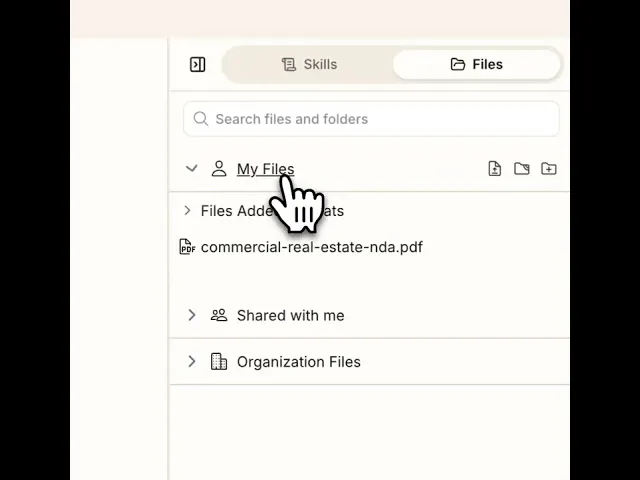
In GC AI, that company memory is the product. Files hold permanent document collections accessible across every chat, analyzing up to 1,500 pages at once. Projects carry matter context between chats. A Custom Company Profile encodes your team’s voice, templates, and standards so output arrives already calibrated to your team. One customer ran a consent decree into that profile so the platform weighed it on every question, without anyone re-flagging it. You configure once, and the team inherits it.
Citations You Can Verify at the Character Level
The plugin’s own guidance, that citations are unverified without a connected research tool, is the honest version of the citation problem every general-purpose model carries.
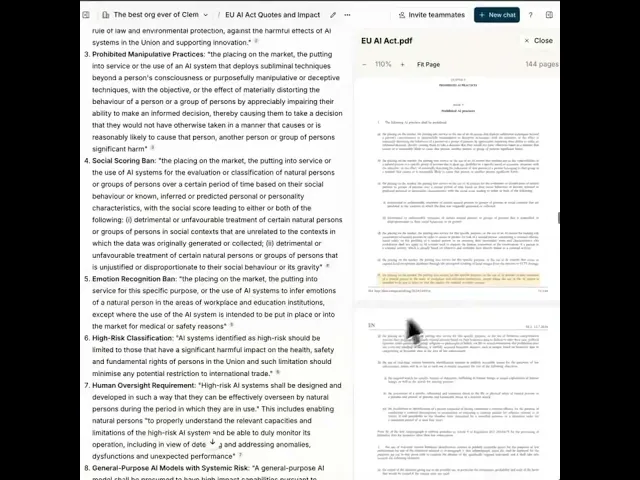
For an in-house lawyer, the bar for “good enough to send to the CFO” is whether you can point to the exact language in the source. GC AI’s Exact Quote pulls verbatim, character-level citations straight from the documents you upload, so a flagged clause links back to the precise text it came from. It is the difference between a draft you still have to re-read line by line and one you can trust at a glance.
Real Case Law, Not Just Legal Reasoning
The plugin can reason about the law, but its own setup guidance tells you to connect an outside research tool before you trust a single citation, because the model cannot pull verifiable court opinions on its own.
GC AI US Case Law closes that gap inside chat: ask a question in plain English and it searches a dedicated database of 13M+ federal and state court opinions, reads the full text, and flags whether each case is still good law (overruled, reversed, questioned, or affirmed). Every citation links to the full opinion in a built-in reader you can open, search, and verify, and for multi-case research it builds a summary table of facts, issue, and holding.
Team Playbooks and a Counsel-Directed Posture
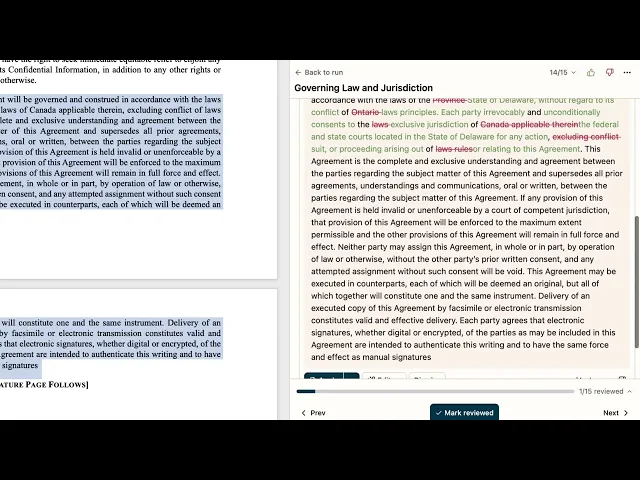
A markdown playbook is a single user’s file. GC AI Playbooks ship pre-built for NDAs, DPAs, and MSAs and run as repeatable team workflows, so a junior teammate runs the same review you would and brings you the output as the predicate for your judgment.
Posture matters too.
The Heppner ruling turned in part on whether AI use was counsel-directed and on a platform with contractual confidentiality.
GC AI is SOC 2 Type II certified, deployed at the legal team’s direction. GC AI works with leading AI providers such as OpenAI and Anthropic. For a full list, see our subprocessor list. None of our providers train on your data.
That meets the contractual confidentiality and counsel-direction conditions the Heppner framework looks for. The plugin inherits whatever posture your Claude plan provides, so the question of privilege stays with the user.
Anthropic announced a new option here on September 1, 2026: Enterprise Frontier Safeguards (EFS), which lets an enterprise customer hold its own data on its own cloud infrastructure with human review defaulting to the customer rather than Anthropic.
It is opt-in, requires standing up that infrastructure yourself, and is rolling out in phases starting this fall across Claude Code, Claude Enterprise, and Claude Platform, not, as of this writing, the Cowork surface the legal plugin runs on. We cover the privilege question in depth in our Claude legal AI guide.
Alexandra Sepulveda, Assistant General Counsel at Trust & Will, put the tradeoff the way an in-house budget owner thinks about it:
“If you only have a budget for one tool, choose the one fine-tuned for in-house legal. I spend less time monkeying with output to get the right voice and context, and more time advancing business priorities.”
Why In-House Teams Upgrade from the Plugin to GC AI
GC AI is an enterprise-grade legal AI platform built for in-house counsel: not a general-purpose assistant with legal prompts layered on top, but a product designed from the first line of code for the specific work of in-house lawyers.
The platform runs on Anthropic’s models alongside others. Its system prompt is more than 20,000 lines long, encoding legal reasoning, institutional context, and team standards so every session starts already calibrated, with no cold-start interview required and no per-plugin practice profile to maintain.
It is SOC 2 Type II and SOC 3 certified. None of our providers train on your data. See our subprocessor list for the full list. This meets the privilege posture and compliance requirements that regulated in-house teams need.
How Claude Scores on In-House Legal Work
The plugin is only as good as the model under it, and that model is Claude. GC AI’s R&D team built the In-House Legal Bench, a 100-task benchmark drawn from an in-house legal team’s daily work and scored against an answer key averaging 12 criteria, built by attorneys with more than 80 combined years of in-house and law-firm practice. Here is how the four platforms scored:
AI Platform | Pass Rate on 100 In-House Tasks |
GC AI | 86.8% |
ChatGPT (GPT-5.5) | 79.8% |
Claude (Opus 4.7) | 68.4% |
Gemini (3.1 Pro) | 57.5% |
Anthropic has since shipped Opus 4.8 (May 2026), Claude Fable 5 (June 2026), Claude Opus 5 (July 2026), and Claude Fable 5.1 (September 1, 2026), and the plugin runs on the current model. The gaps above are architectural rather than tied to model version: a newer engine raises the ceiling on any single task, but it does not add persistent context, verify citations, or carry a team playbook.
Claude is the engine the plugin runs on, so the plugin is only as strong as that model. Its structure raises the floor on any single task; the model’s score still sets the ceiling.
Contract review is the clearest case, and it is also where the model most recently moved.
GC AI led the bench’s contract analysis category at 82.7%, against 66.3% for Claude (May 2026), and contract review is the plugin’s flagship command. On September 1, 2026, Anthropic reported a specific gain on contract redlining for its newest model, Claude Fable 5.1.
Crosby’s Raymond Lin, Member of Technical Staff, put a number on it on RedlineBench, a benchmark built for exactly this task:
“Compared to Fable 5, Claude Fable 5.1 was a massive improvement on RedlineBench, our contract redlining benchmark, improving from 47.9 to 57.0. Most of the gain came on first-turn quality, where it doubled the previous score, with substantial gains on counterparty acceptance as well. Its edits were also more concise, with smaller changes on average to the documents.”
That is a gain on the model underneath /commercial-legal:review, and it runs into the same architectural gap as every model upgrade before it: RedlineBench is a different benchmark than the In-House Legal Bench numbers above, and neither one measures whether the review ran against your company’s playbook, your prior matters, or a verified citation.
For a full side-by-side on the same model, see our GC AI vs Claude comparison.
Claude Legal Plugin vs GC AI: Feature Comparison
Feature | Claude Legal Plugin | GC AI |
Company context |
| Files and Projects carry context across all sessions |
Citation verification | Unverified without a research connector | Character-level Exact Quote citations from your uploaded documents |
Team playbooks | Per-user markdown, manually maintained | Pre-built Playbooks for NDAs, DPAs, and MSAs; runs as a team workflow |
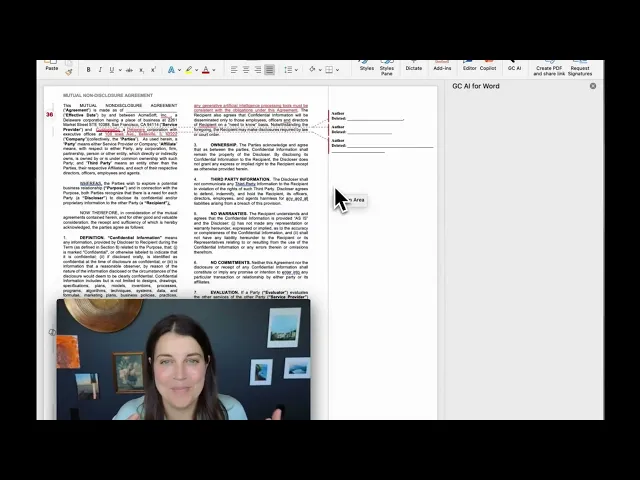
Microsoft Word | Not supported | GC AI for Word: Chat2, Files, and Projects in your document |
Privilege posture | Depends on Claude plan configuration | SOC 2 Type II, SOC 3, GDPR, AES-256, no provider trains on your data |
Setup | Cold-start interview per plugin (10 to 20 minutes each) | Company profile set once, no per-session configuration |
Should You Use the Claude Legal Plugin or a Purpose-Built Platform?
Use the Claude legal plugin if you already pay for Claude, you are comfortable maintaining your own markdown playbooks, and you want a free, structured way to put repeatable shape on contract triage and compliance drafting. It is a real starting point, and for a lawyer experimenting with what AI can do for their week, it is a good one. Cecilia Ziniti put the honest tradeoff plainly: “Claude will be perfectly acceptable if you’re comfortable with slightly inferior answers and you’re comfortable with the headache of building it yourself.”
Move to a purpose-built platform when:
The team grows past three lawyers and a shared playbook needs to run consistently without per-person setup
Privileged work becomes regular output and the deployment posture needs to satisfy the Heppner three-part test
Client data falls under a regulated framework (HIPAA, GDPR, CCPA, or GLBA) and zero data retention is non-negotiable
Matter context needs to carry across conversations, not reset with every new chat session
That is the layer Anthropic deliberately left open, and the one GC AI was built to be. For a broader comparison of legal AI tools for in-house counsel, or how ChatGPT compares for lawyers, see our dedicated guides.
See GC AI on Your Own Contracts
The Claude legal plugin shows what general-purpose AI can do once you give it structure. GC AI is the structure, built for in-house counsel and trusted by 2,200+ legal teams across 53 countries, including legal departments at Hitachi, Liquid Death, Snyk, and Columbia Sportswear, plus 200+ public companies and 25 unicorns. See persistent context, verifiable citations, and team Playbooks on your own documents, no credit card required.
Frequently Asked Questions
What Is the Claude Legal Plugin and What Does It Do?
The Claude legal plugin is Anthropic’s open-source suite of 12 practice-area plugins and 90+ workflow agents built on top of Claude, released May 12, 2026. Commands are namespaced by practice area: /commercial-legal:review, /privacy-legal:dsar-response, and so on, so each skill knows its domain before you type a single word. The suite is free under Apache 2.0 licensing; what you pay for is the underlying Claude plan ($20/mo Pro to $100+/mo Max).
For in-house teams that want persistent context, team playbooks, and character-level citations, a purpose-built platform like GC AI layers those capabilities on top.
How Do I Set Up the Claude Legal Plugin Correctly?
Install Claude Desktop or Claude Code, then run the cold-start interview for each plugin you plan to use. Anthropic’s own README flags skipping setup as the single most common reason a skill produces generic output. The interview writes a CLAUDE.md practice profile that every command reads from, encoding your company’s risk tolerances, standard positions, and playbook preferences. Budget 10 to 20 minutes per plugin for this step.
You will also want to connect at least one research tool (CourtListener, Everlaw, or a similar MCP connector) so the agents have live data to pull from, not just the model’s training corpus.
For a guide to the legal MCP ecosystem, including document management, legal research, CLM, and e-discovery connectors, see MCP for Legal Teams: Best MCP Servers for In-House Counsel.
Is the Claude Legal Plugin Free?
The plugin code itself is free, Apache 2.0 licensed, meaning you can use it commercially, modify it, and deploy it on your own infrastructure. The running cost is your Claude subscription: $20/month for Pro or $100/month for Max, with no additional per-plugin fee. Teams that need enterprise data controls, team-level playbook sharing, or a Microsoft Word integration will want to evaluate purpose-built platforms separately, since those capabilities sit outside what the open-source plugin provides.
Can the Claude Legal Plugin Be Used for Privileged Legal Work?
Anthropic treats all plugin outputs as drafts for attorney review, not legal advice or legal conclusions. Whether work product created with Claude retains privilege depends on how you deploy it. Under the framework outlined in US v. Heppner, three conditions bear on the analysis: the AI is not acting as the attorney, there is a contractual confidentiality commitment from the vendor, and the work is counsel-directed. The Claude plugin running on a consumer Claude plan does not automatically satisfy all three prongs. Deployment method, data-processing agreements, and jurisdictional rules matter.
Confirm your specific configuration with a technology or ethics attorney before using any AI tool for privileged communications.
How Accurate Is the Claude Legal Plugin for Contract Review?
Benchmark accuracy depends on what you measure. On GC AI’s In-House Legal Bench (May 2026), 100 tasks scored against an answer key built by attorneys with over 80 combined years of practice, Claude Opus 4.7 passed 68.4% of tasks overall and 66.3% on contract analysis specifically. The plugins add workflow structure on top of the model but do not change the underlying reasoning score. GC AI scored 86.8% overall and 82.7% on contract analysis in the same benchmark.
For complex or high-stakes review, the accuracy gap between a general model plus open-source plugins and a purpose-built legal AI platform is meaningful.
What Is the Difference Between Claude for Legal and the Claude Legal Plugin?
People use both terms interchangeably, but they refer to two distinct layers. Claude for Legal is Anthropic’s umbrella launch: the GitHub repository (anthropics/claude-for-legal) that ships 12 plugins, 90+ agents, and 20+ MCP connectors under a single release. A Claude legal plugin is one practice-area module within that suite: the commercial-legal plugin, the privacy-legal plugin, the employment-legal plugin, and so on. You install the suite and activate only the plugins relevant to your team’s work, running each through its cold-start interview to build a practice profile before using it.
Does the Claude Legal Plugin Replace Dedicated Legal Software?
No. The plugin suite is designed to run alongside your existing contract management, e-discovery, and matter management systems via MCP connectors, not to displace them. Connectors link Claude to Ironclad, DocuSign, iManage, Everlaw, and CourtListener, among others. What the plugins do not provide out of the box: persistent matter context across sessions, team-level playbook sharing, character-level citations tied to source documents, or a Microsoft Word integration. In-house teams that need those capabilities typically use a purpose-built legal AI platform that has them built in.
How Does the Claude Legal Plugin Compare to GC AI?
The Claude legal plugin and GC AI solve adjacent problems but at different layers. The plugin gives you Anthropic’s open-source workflow structure on top of a general-purpose model. GC AI is a purpose-built legal AI platform, scoring 86.8% on the In-House Legal Bench versus Claude’s 68.4%, with persistent context across matters, a Skill Library built from your team’s playbooks, character-level Exact Quote citations, and GC AI for Word that brings Chat2, Files, and Projects into your document workflow.
The plugin is a strong starting point for legal teams exploring AI; GC AI is designed for in-house teams running production volume.