Regulatory horizon scanning means monitoring emerging legal and regulatory changes to understand how they could affect your company. For in-house counsel, the job continues after an alert arrives: check what has changed, decide whether it applies, and tell the business what to do next.
Legal AI can help with the research and preparation. You can schedule a scan of relevant sources, investigate a development, compare it with company documents, and draft guidance for review. The quality of that analysis depends on the sources and company facts you provide.
GC AI is an enterprise legal AI platform built for in-house teams and used by 2,200+ legal teams. Our CEO and co-founder, Cecilia Ziniti, is a three-time general counsel. Our Automations and Research features support the monitoring and investigation steps below, while our document analysis helps connect a development to company policies and agreements.
Cecilia hosts CZ and Friends, GC AI's podcast for in-house legal leaders. In a conversation with Bill Berry and Ariana Goodell, she recalled reviewing accessibility bugs at Amazon under the Communications and Video Accessibility Act.
When an engineering counterpart marked some accessibility bugs "won't fix," she pushed back. That is the downstream work horizon scanning should enable: identifying the requirement, connecting it to a live product decision, and getting the right people to act.
Define What Your Regulatory Scan Covers
Effective horizon scanning starts by defining what matters to the business before deciding which sources to monitor. Identify the activities, jurisdictions, and consequences that determine whether a development deserves counsel's attention. For example, a scan for a U.S. software company selling to hospitals needs different coverage from one for a manufacturer importing goods into the EU.
Write a short scope that identifies:
Where you operate: jurisdictions, legal entities, and markets you plan to enter.
What you do: products, services, regulated activities, and relevant customer types.
What you need to watch: legal topics and agencies, such as privacy, employment, accessibility, or trade.
Who will review results: the lawyer or compliance owner responsible for each area.
What deserves escalation: the likely applicability, timing, business consequence, or uncertainty that makes an update worth counsel's attention.
For U.S. federal rulemaking, the Federal Register and Unified Agenda serve different purposes. The Federal Register publishes proposed rules, final rules, and notices. The Unified Agenda helps identify agencies' planned regulatory work. An agenda entry signals something to watch; it does not establish a new compliance obligation.
The source mix should give you both early signals and primary materials you can verify. The table below shows what each source type contributes to the workflow.
Source | What to Look For | How to Use It |
|---|---|---|
Legislative trackers and regulatory agendas | Proposals and planned rulemaking | Identify potential changes early and decide what deserves closer monitoring. |
Official gazettes and rulemaking dockets | Published proposals, final text, corrections, and deadlines | Check the current text, procedural stage, and relevant dates. |
Regulator websites | Guidance, FAQs, enforcement announcements, and implementation updates | Understand the agency's position and check the legal significance of each publication. |
Law firm and industry updates | Commentary and issues others have identified | Find useful leads, then open the underlying authority before relying on the analysis. |
Use the table as a starting point, then add the state, local, and non-U.S. sources required by your scope. Name an owner for the source list and revisit it when the company enters a market or launches a product. Choose the review frequency based on the pace of change and the consequences of missing an update.
Schedule a Focused Scan in GC AI
GC AI's Automations can run a recurring chat with saved instructions and attached resources. Each run creates a new chat, and you can opt into email notifications that link to the results. For a recurring regulatory scan, attach a research skill and define the scope in the instructions.
Before scheduling anything, test the research prompt in chat and review the output. Use the example below as a starting point, then replace the bracketed fields and adjust the sources and escalation criteria to your business.
Example prompt
Research legal and regulatory developments published in the past seven days that may affect [company activities] in [jurisdictions]. Prioritize these sources: [official publications, agencies, and dockets].
For each potentially relevant development, provide the title, publication date, jurisdiction, primary-source link, and a short explanation of why it may matter to this business.
Identify whether it is proposed legislation, a proposed rule, a final rule, guidance, an enforcement action, or another type of development. List any comment deadline, effective date, and compliance deadline separately.
Separate facts stated in the source from assumptions about our company. Identify the questions counsel needs to answer before recommending action.
List the sources you checked and disclose any you could not access. If you find no relevant updates, say so. Do not treat that result as proof that no changes occurred.
Our Research feature can search current web sources and return analysis with links to the sources it used. A lawyer should open the primary publication, check the dates, and confirm that the summary supports the proposed next step.
Keep a simple register of reviewed developments, with the source, review date, decision, and follow-up owner. Compare each new scan with that register to catch repeated alerts and status changes.
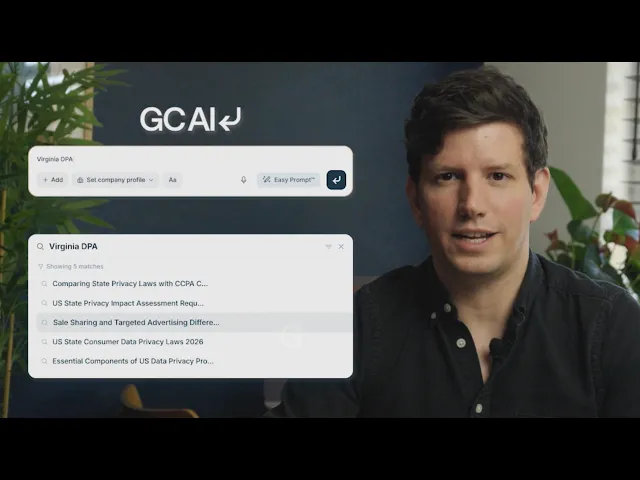
Watch this walkthrough to see how to set up recurring work with GC AI Automations.
Answer Five Questions Before Advising the Business
An alert should give in-house counsel a starting point for analysis. Before turning it into guidance, answer five questions.
What Is the Development's Legal Status?
Read the publication itself. A proposal, a final rule, agency guidance, and an enforcement announcement can call for different responses.
For a proposal, the next step might be preparing comments or assessing likely implementation costs. For a final rule, counsel needs to determine the applicable requirements and dates. Check for later corrections, amendments, or court orders that could affect the analysis.
Does It Apply to This Company?
Identify the facts that determine coverage. These may include location, employee count, revenue, customer type, industry, or the company's role in an activity.
Ask legal AI to identify the relevant conditions and cite their source. Then confirm the business facts with the people who know them. If coverage depends on information you do not have, state the unanswered question in the guidance.
What Changed From the Existing Requirements?
Compare the new text with the requirements the company currently follows. Look for new duties, changed thresholds, exceptions, and transition provisions.
Be clear about the comparison. Comparing a final rule with its earlier proposal answers a different question from comparing it with the law currently in force. In GC AI, provide both documents and specify what you need to understand.
Which Dates Matter?
Record publication dates, comment deadlines, effective dates, and compliance deadlines separately. Check whether different provisions or categories of company have different timelines.
Translate the applicable deadline into an internal plan. A policy update that requires product, procurement, and training work needs an owner and milestones before the legal deadline arrives.
What Does the Business Need to Do?
Identify the affected activity and the next decision. That could mean changing a disclosure, checking a vendor's practices, updating a policy, or investigating whether a product falls within scope.
Separate confirmed requirements from recommendations and unresolved questions. Give the business a specific next step, such as asking the product owner to confirm which customers use the affected feature by a stated date.
Check the Policies and Contracts Behind the Answer
Company documents help turn general research into advice. After identifying a relevant change, bring the affected policies, procedures, and agreements into the analysis.
Ask GC AI to compare a requirement with a specific document and identify language that may need review. Our document citations let you open the source at the highlighted passage. Use that passage to check the analysis and decide whether a revision is needed.
For a larger contract set, GC AI's Contract Intelligence can help locate potentially affected agreements and extract terms into a cited table. For example, counsel could look for vendor commitments about compliance with law, cooperation, or notice of regulatory changes. Inspect the relevant agreement and amendments before deciding what a clause requires.
Alexis Palmer, Senior Managing Counsel at Snyk, uses GC AI when enterprise customers request contract language tied to regulatory requirements. She researches the requirements and drafts language that addresses both parties' needs:
"I'll use GC AI to research what those requirements actually are and draft something that works for both sides."
Here, the research answers a concrete legal question: what the agreement should say. A scan can identify the issue, but the company facts and signed terms determine what counsel needs to investigate next.
Turn the Analysis Into Guidance the Business Can Use
Keep the requested decision or action easy to find. A short memo or email can carry the legal conclusion, supporting source, owner, and timing without making the business reconstruct the analysis.
Draft email or memo
Subject: [Development] affects [business activity]: [decision or action needed]
Recommended action: What should the business do now, and who needs to make or approve the decision?
What changed: Summarize the development, its legal status, and the primary source. Include the date the source was checked.
Why it applies: State the relevant company facts and any assumptions still awaiting confirmation.
Required action and timing: Identify the applicable obligation, deadline, business owner, and internal milestones.
Open questions: Explain what remains uncertain, who will resolve it, and when the advice should be revisited.
We can help prepare this draft from the sources and company documents you provide. Before sending the guidance, counsel should verify the cited text, the applicability analysis, and the recommended action.
To make sure the guidance leads to action, give each item a place in the team's existing tracking system. Record the decision and its supporting sources, then follow up with the owner. Horizon scanning becomes useful when the legal analysis reaches the people responsible for making the change.
Test One Monitoring Workflow
Start with one business activity and a manageable set of sources. Test the regulatory monitoring workflow you configured against a known relevant development and an unrelated update. Check whether it identifies the first, explains the distinction, and provides sources you can inspect.
Then take one finding through the rest of the process: confirm its status, gather the company facts, review the relevant documents, and prepare guidance. The exercise exposes weak instructions or source coverage before you depend on the workflow.
Make Horizon Scanning a Repeatable Legal Workflow
Good horizon scanning is not about producing more alerts. It is about creating a repeatable path from a credible source to a legal question, the company facts that determine applicability, and guidance someone in the business can act on.
Start narrowly enough to verify the workflow. Record what counsel decided and why, then expand the source set or cadence only when the process is catching relevant developments without creating unnecessary review work. GC AI can support the monitoring, research, and document-analysis steps, while counsel keeps control of the legal judgment and final recommendation.
Use a regulatory question your team needs to answer as the first test case.
Frequently Asked Questions
When Should We Involve Outside Counsel in Horizon Scanning?
Use outside counsel when a development requires local expertise, raises a disputed interpretation, or could materially change a regulated activity. Give outside counsel the primary source, the relevant company facts, and the specific question you need answered. Agree on which developments they will monitor and which your internal team owns so coverage does not depend on assumptions.
How Should We Handle Conflicting Regulatory Alerts?
Go back to the underlying authority first. Compare the publication dates, jurisdictions, and legal sources behind the alerts because they may be describing different versions of a proposal or different deadlines. Check the regulator's current publication and any corrections before changing company guidance. If the interpretation remains disputed, record the competing views and ask the responsible lawyer to resolve the question.
How Do We Measure Whether Horizon Scanning Is Working?
Measure whether the workflow catches relevant changes and gives the business enough time to act, not how many alerts it produces. Track relevant developments identified, material changes missed, time from publication to legal review, and actions completed by their deadlines. Review a sample of dismissed alerts to check whether the filtering is too aggressive.
How Much Company Information Should We Include in a Monitoring Prompt?
Only include the company facts needed to judge relevance, such as jurisdictions, business activities, products, and customer types. For a routine scan of public sources, avoid customer names or confidential transaction details unless they are necessary. Use your company's approved AI environment and access rules when a follow-up analysis requires internal policies or agreements.